Video downloader & converter for Windows

MediaKit

Free video downloader and converter for Windows: download video from a link, convert MP4 to MP3, transcribe audio to text and use OCR on your PC. No ads.

MediaKit is a video downloader, a video converter and a speech-to-text tool for Windows in one app. Download video and audio from a link, convert video to MP4, MP3 and many other formats, compress or cut it, transcribe audio to text and recognize text in images, right on your PC and with no ads. It also has a torrent client, a PDF editor, a CSV editor, bulk file rename and a duplicate file finder.

Free to download · No ads in any version
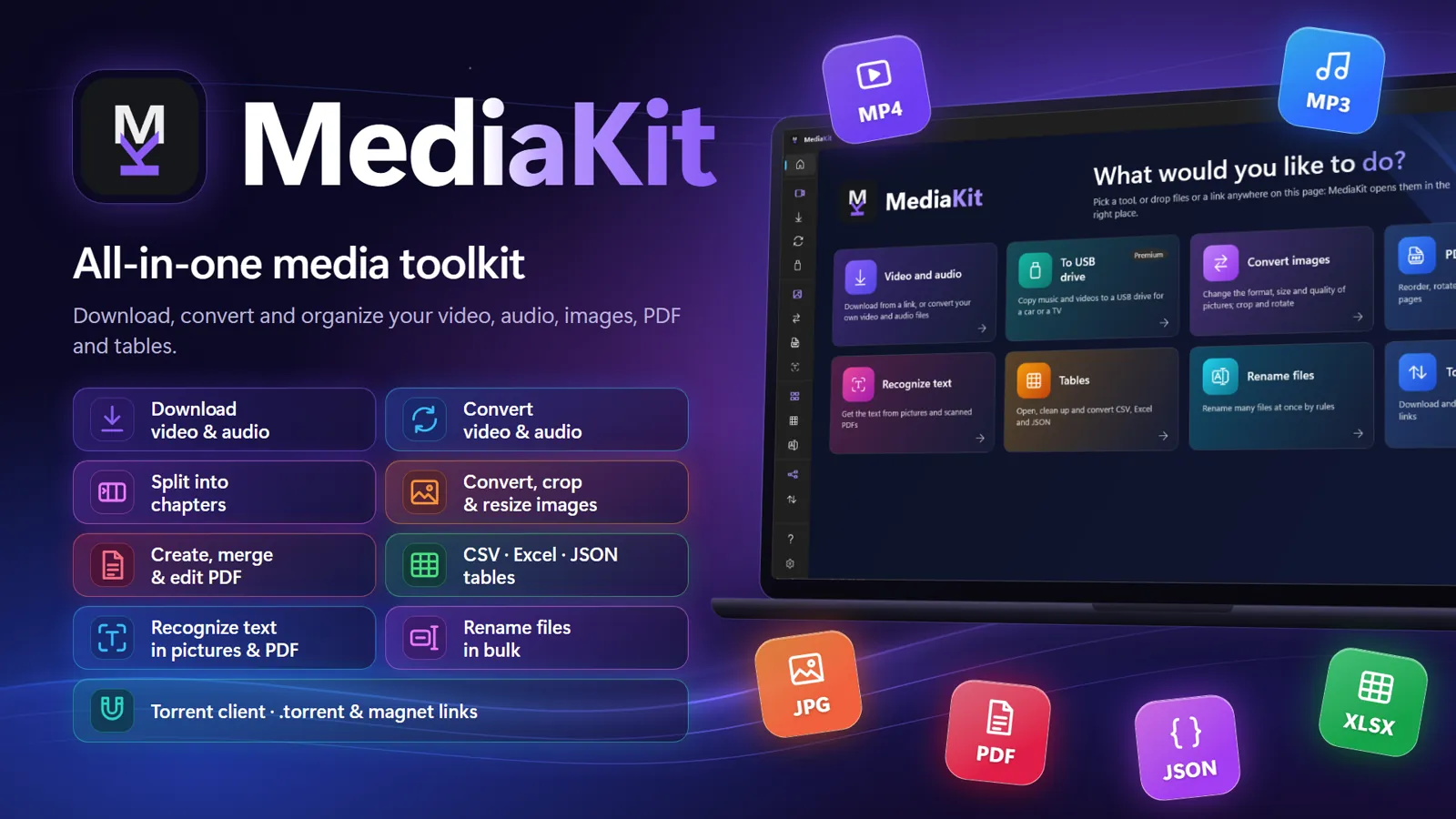
MediaKit start page with tools for video, audio, images, PDF, tables, text recognition, file renaming and torrents
Tour

One app for your media

Video, audio, images, PDF pages and tables — everything runs on your PC.

Video downloader

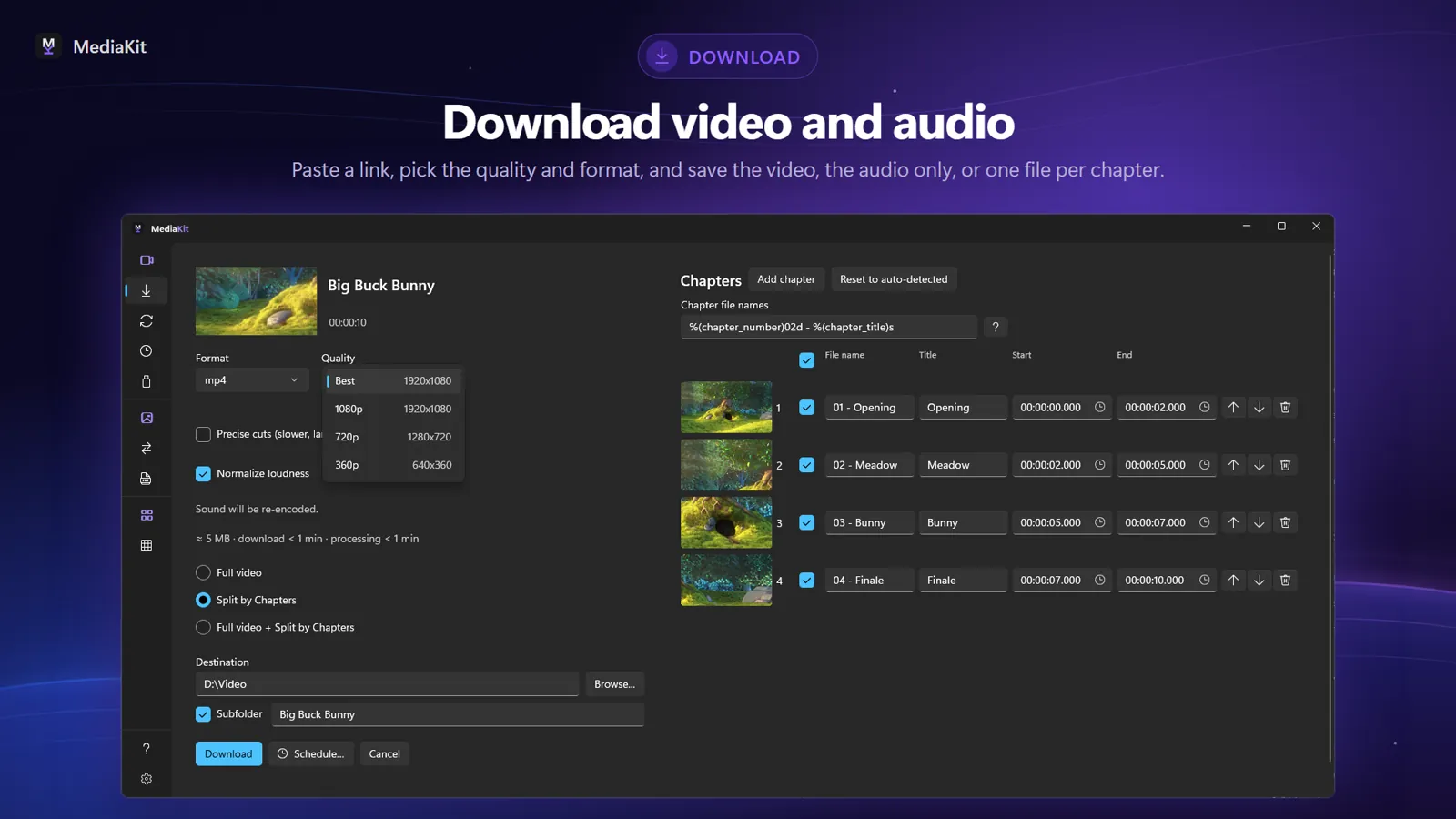
Paste a link, several links at once, or drag them in from your browser. Preview the quality and format options, then save the full video, audio only, or one file per chapter. Subtitles, audio tracks, cover art and metadata are kept in the file.

MediaKit video downloader: downloading video and audio from a link

Split video by chapters and record live streams

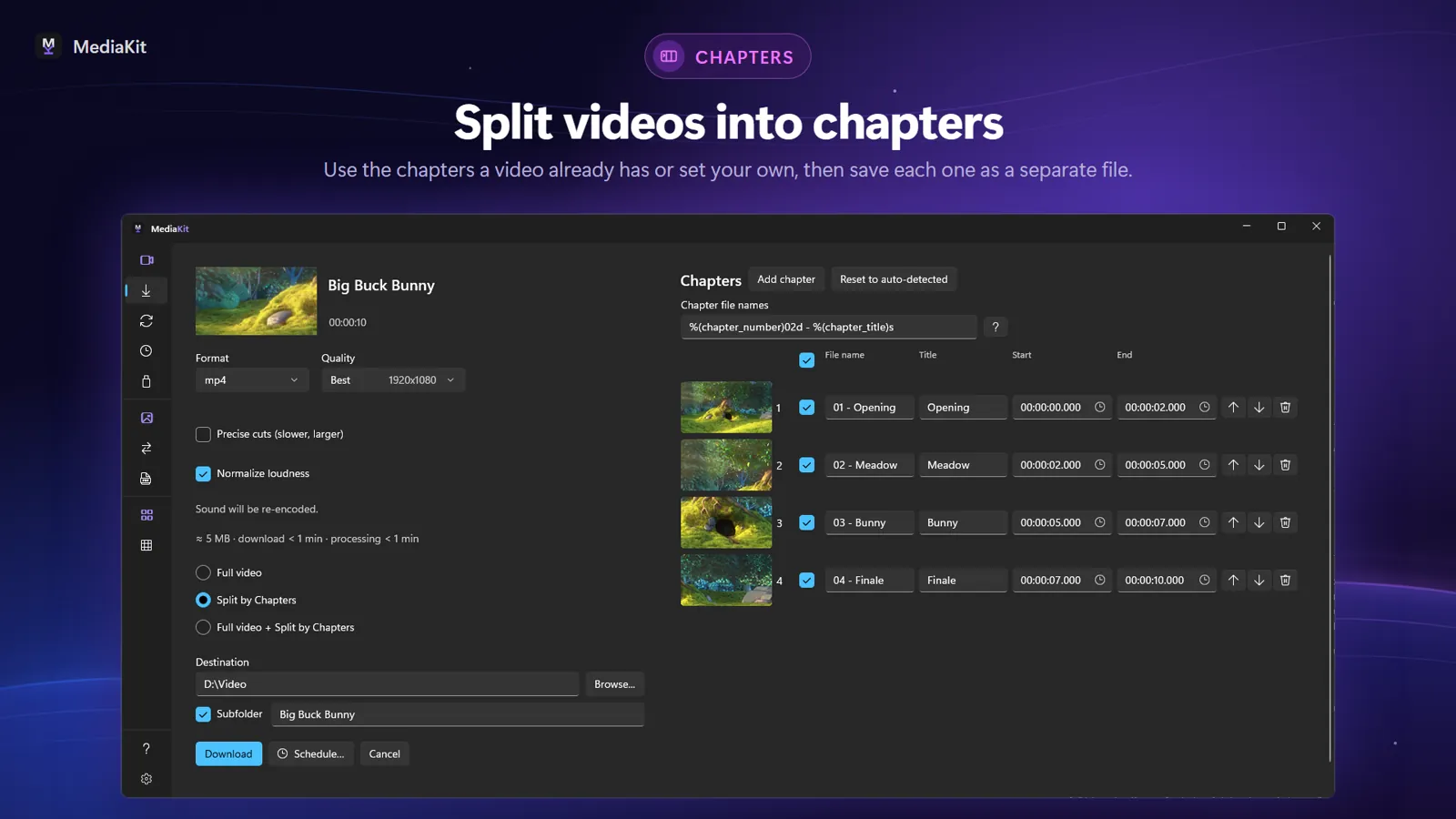
Split videos into separate files by chapter, with a chapter editor. Record live streams from the moment you start until you stop or the stream ends.

Chapter editor splitting a video into separate files

Video converter and MP3 converter

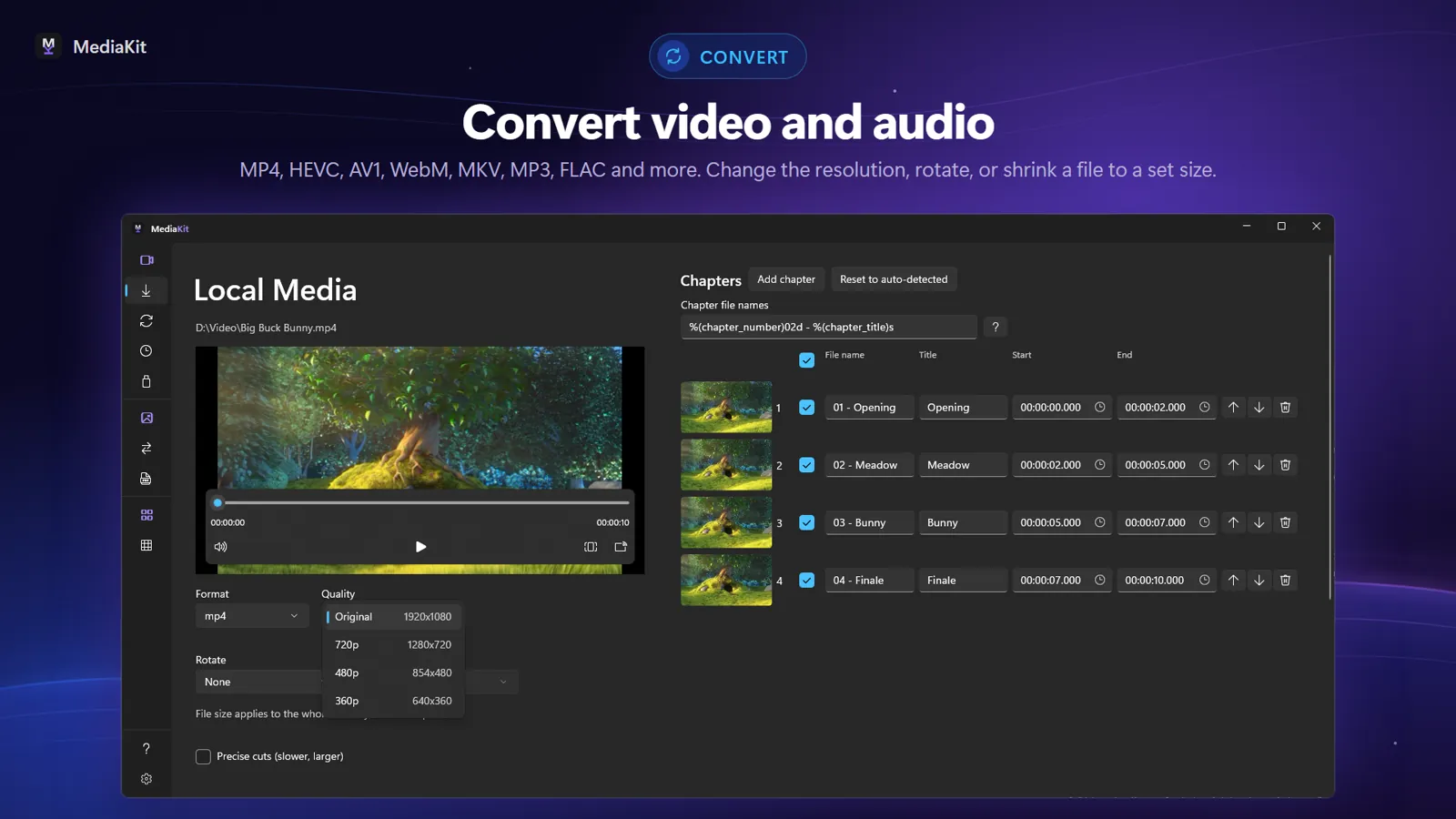
Convert video and audio files or whole folders to MP4 (H.264, HEVC, AV1), webm, mkv, MP3, flac and more, with hardware encoding when your graphics card supports it. Turn a video into MP3, cut precisely, split a video by chapters, rotate, join several files into one, convert HDR to SDR, or compress a video to fit a size limit for e-mail.

MediaKit video converter: converting a video to MP4 or MP3 with format and quality options

Convert, resize and crop images

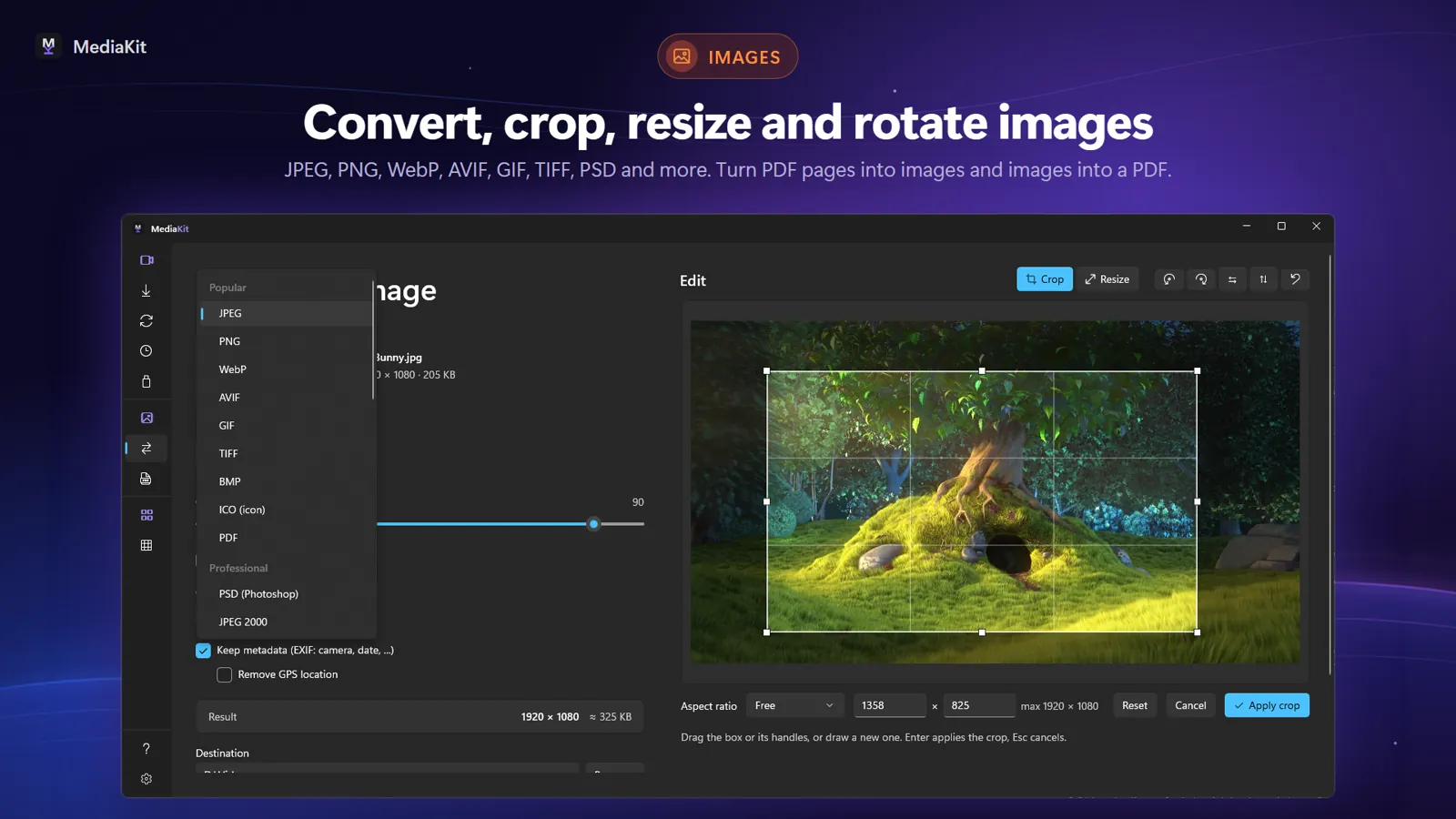
Convert, resize and crop images.

Converting, resizing and cropping images

PDF editor

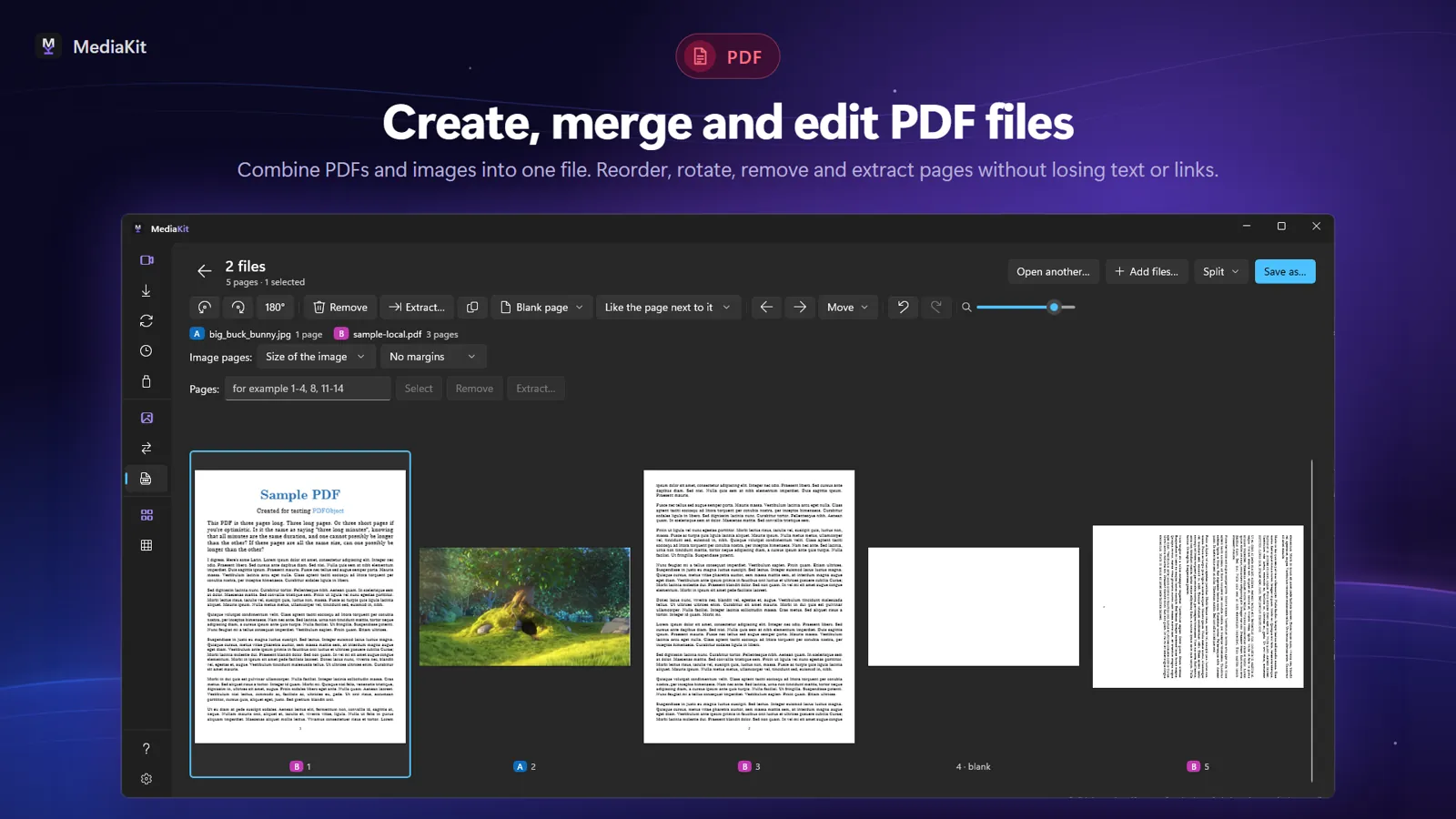
Reorder, rotate, remove and extract PDF pages without losing text or links.

Editing PDF pages: reorder, rotate, remove and extract

CSV editor

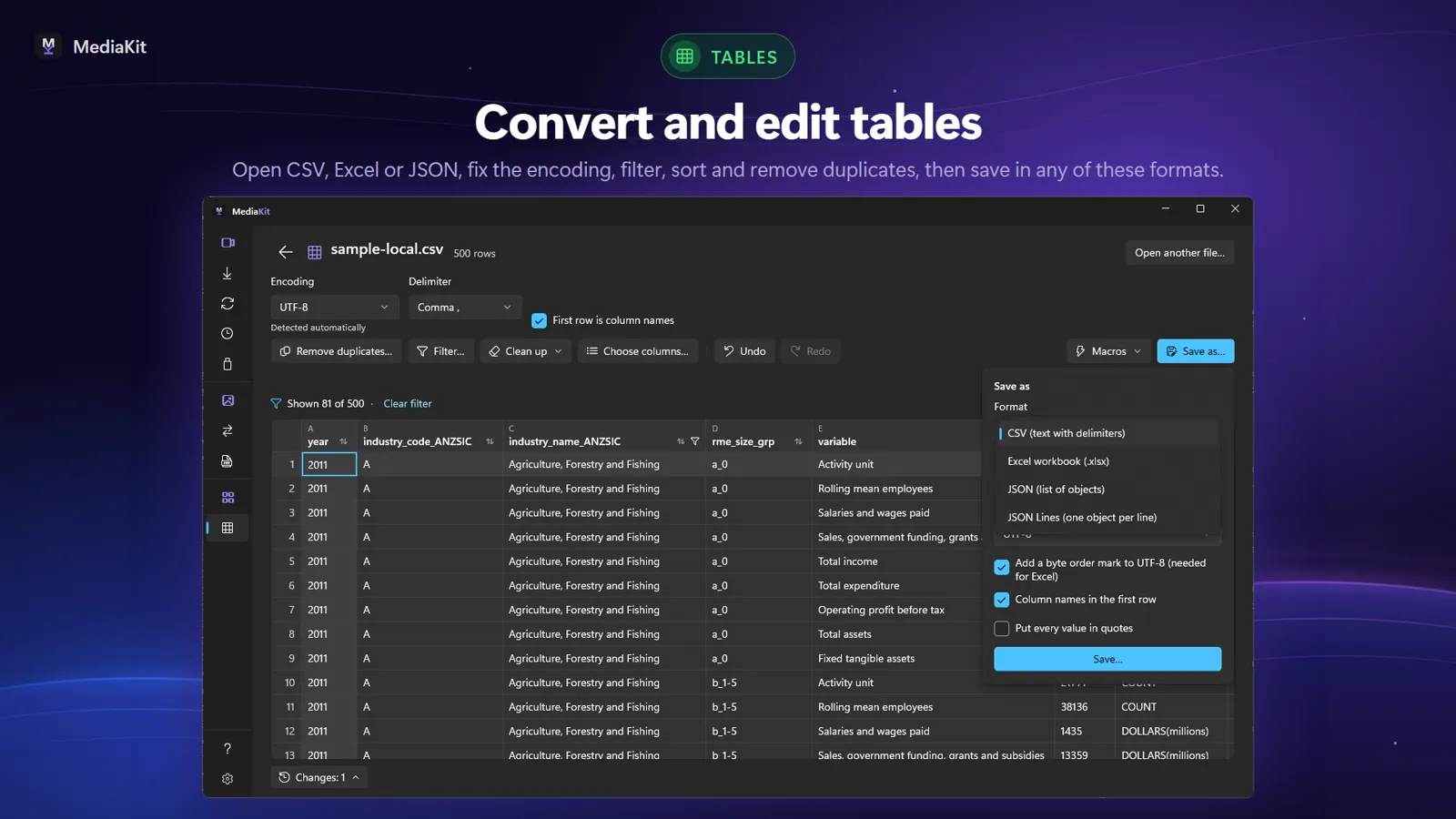
Open CSV, Excel or JSON files, fix the encoding, filter, sort, remove duplicates and save, all on your PC. Work with several tables at once: combine them, join them by a key column, or split one table into several files.

Cleaning up a CSV table

Torrent client

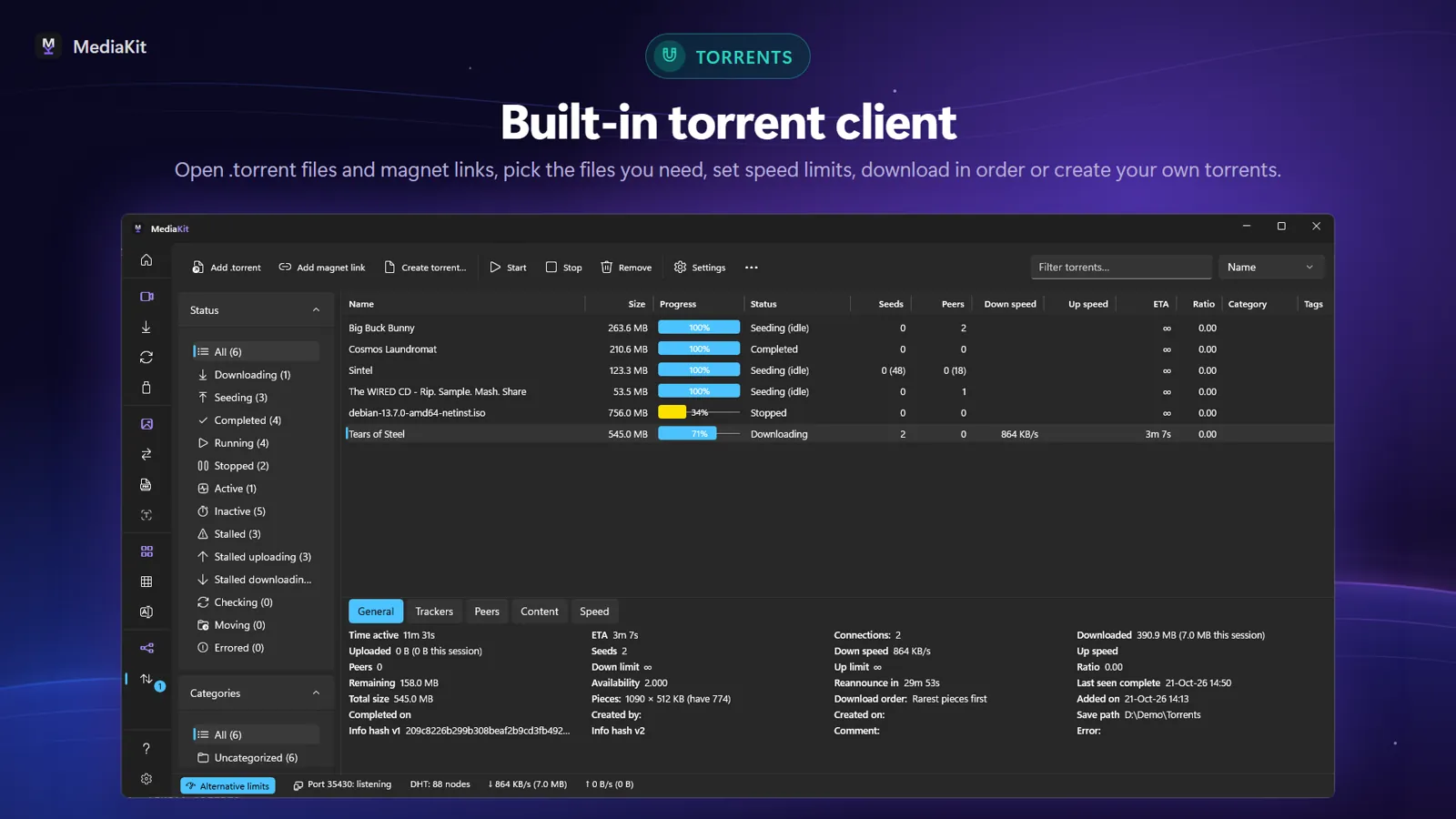
Open .torrent files and magnet links in a built-in BitTorrent client: choose files and priorities, organize with categories and tags, limit speed and seeding. Create your own torrents, download in order so you can start watching early, and block unwanted peers with an IP filter. MediaKit includes no search and no catalog: you add the torrents you already have.

Built-in BitTorrent client with a list of torrents

Bulk rename and duplicate files

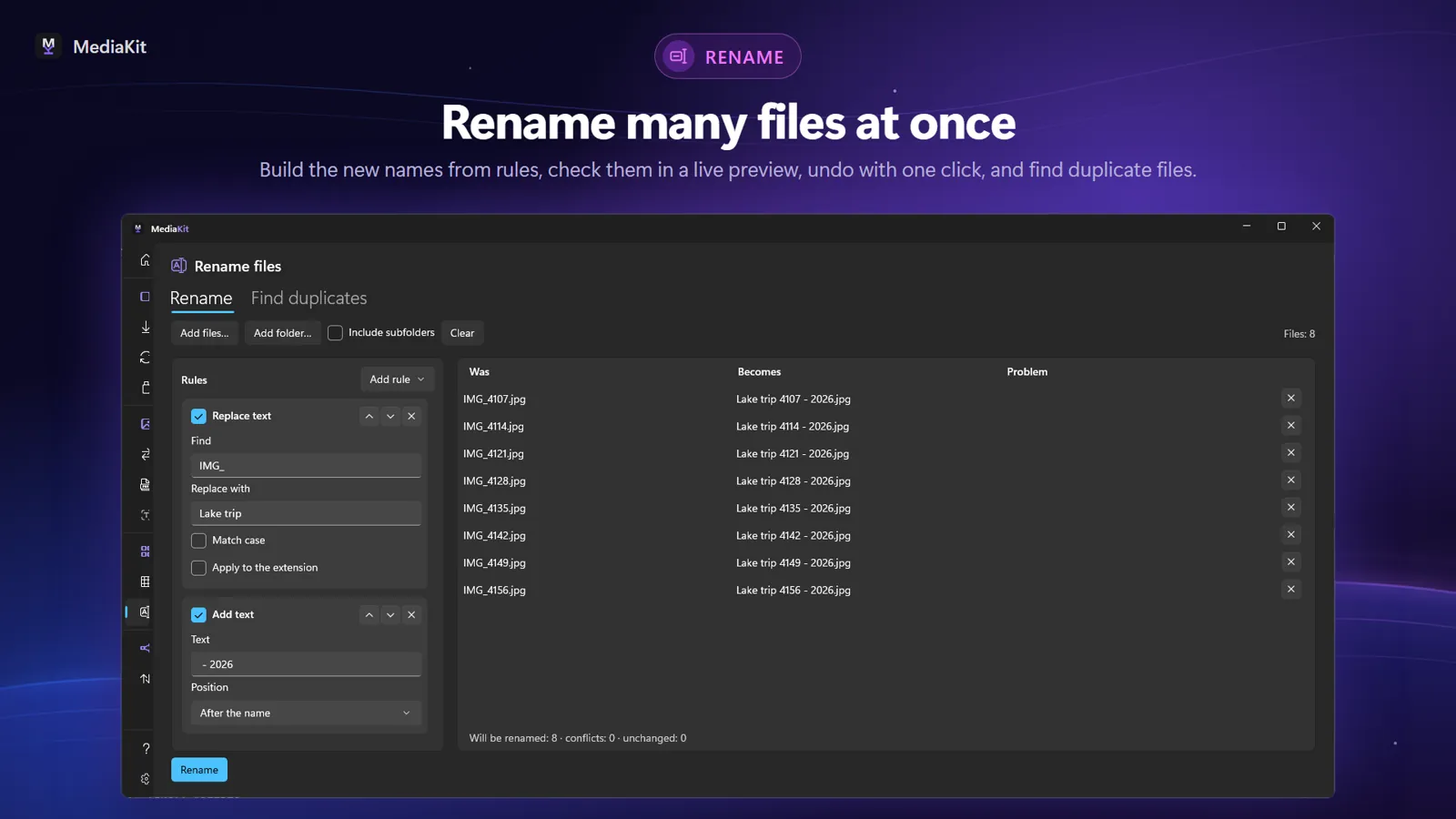
Rename many files at once with rules — replace or remove text, numbering, letter case, regular expressions — and check every new name in a live preview before you rename. Undo the last rename with one click, and find duplicate files to free up space.

Bulk renaming with rules and a live preview

Image to text (OCR)

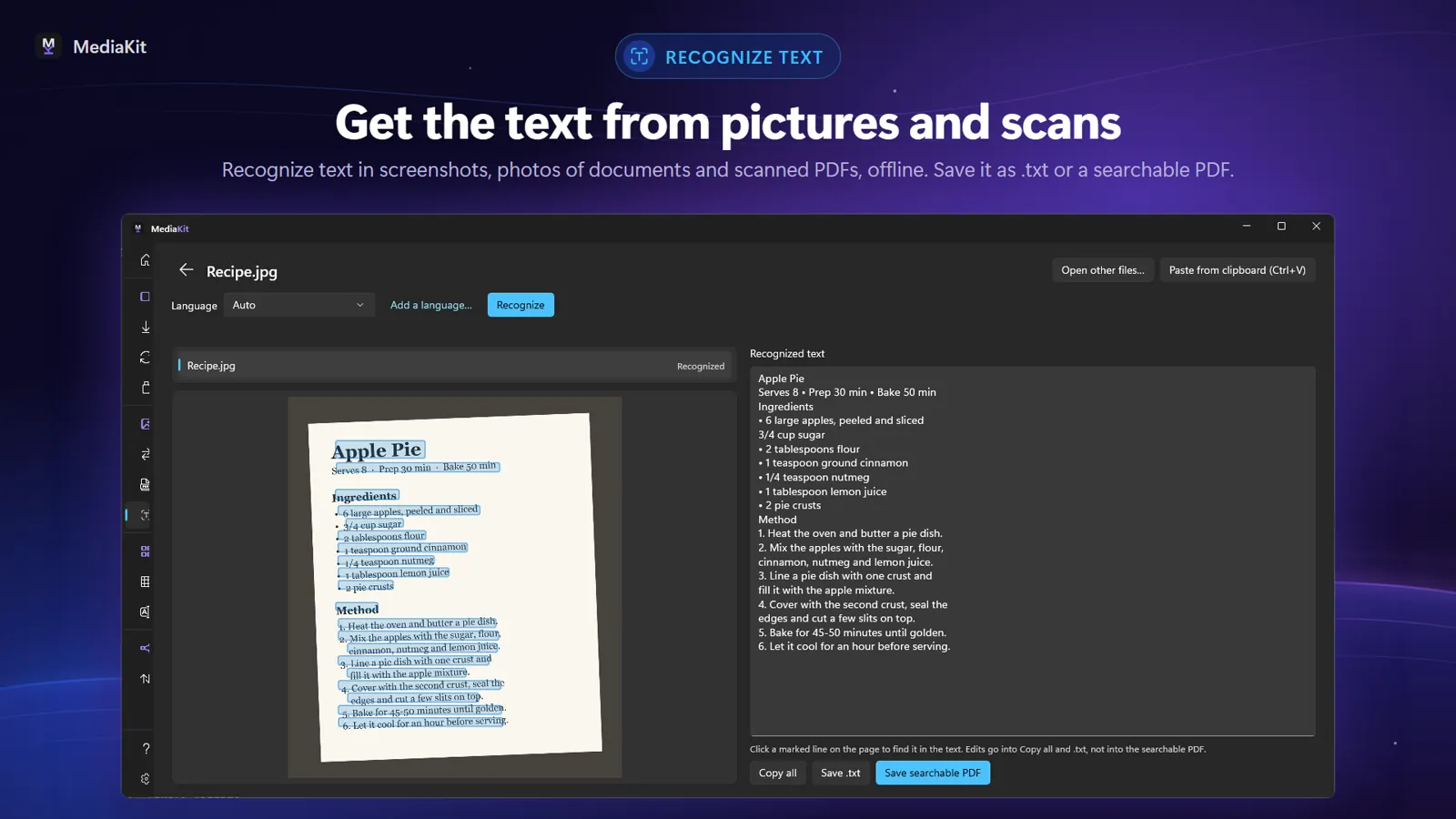
Get the text from screenshots, photos of documents and scanned PDFs, right on your PC with no internet connection. Copy it, save it as .txt, or turn a scanned PDF into a searchable one.

Image to text (OCR): recognizing text in a picture in MediaKit
And more

Ready for every device

Transcribe audio to text

Turn speech in video and audio into subtitles (.srt, or added to the video) or plain text with Whisper, running on your PC — nothing is uploaded.

Ready for your devices

One-click presets for car stereos, TVs and older DVD/USB players. Write an ordered set of files to a USB drive, converted and checked, in the order your car stereo will play them.

Audio and audiobooks

Even out the volume with loudness normalization. Change the speed without changing the pitch. Make m4b audiobooks with chapters, a cover and book tags.

Your look

A start page with every tool one click away, a menu with icons, names or both, and color themes — Ocean Breeze, Forest, Sunset, Lavender and Graphite — besides light and dark.

Features

Everything in MediaKit

  • Video downloader: download video and audio from a link on a wide range of websites; subscribe to channels and podcasts
  • Video converter: MP4 (H.264, HEVC, AV1), webm, mkv, MP3, flac and more, with hardware encoding
  • MP3 converter: turn video into MP3, m4a or flac, one file or whole folders
  • Transcribe audio to text with Whisper on your PC: subtitles (.srt, in the video) and .txt from video and audio
  • Image to text (OCR) for pictures, screenshots and scanned PDFs, offline; save as .txt or a searchable PDF
  • Compress video to fit a size limit, cut precisely, rotate and join files
  • Split video into separate files by chapter, with a chapter editor
  • Live stream recorder: save live streams as MP4, m4a or MP3
  • Torrent client for your .torrent files and magnet links; create torrents, sequential download, IP filter
  • PDF editor: reorder, rotate, remove and extract pages; add page numbers, a watermark or a signature picture
  • CSV editor: open and clean up CSV, Excel and JSON tables; combine, join by key, split or compare them
  • Bulk rename files with rules, a live preview and undo
  • Duplicate file finder and similar photo finder
  • Audiobook maker: m4b audiobooks with chapters, cover and tags
  • Loudness normalization and pitch-preserving speed change
  • Presets for car stereos, TVs and older DVD/USB players; write ordered files to a USB drive
  • Convert, resize and crop images
  • HDR to SDR conversion
  • Download queue with pause, resume after restart and retry; Windows notifications with Play, Open folder and Retry
  • Free version with no ads; Premium adds higher quality, whole playlists and batch links
Free & Premium

Free for everyday use

Every tool is in the free version. Premium adds more for heavier use — monthly, yearly or lifetime.

No ads in any version

Free

Covers everyday use.

  • Video up to 720p
  • One download at a time
  • Converting, devices, audiobooks, images, PDF pages, tables, torrents, text recognition, speech to text and renaming

Premium

Monthly, yearly or lifetime.

  • Video above 720p
  • Up to three downloads at once
  • Whole playlists and channels
  • Batch links
  • Signed-in downloads for videos your own account can watch
  • Merging PDFs and images
  • Unlimited table rows and table macros
For everyone

Made for your PC

Nine languages

English, German, Spanish, French, Portuguese, Polish, Turkish, Russian and Japanese.

Accessible

Works with Narrator and the keyboard alone.

Private

Text recognition and speech to text run on your PC — nothing is uploaded.

FAQ

Questions and answers

What is MediaKit?

MediaKit is a Windows app that combines a video downloader, a video converter and speech to text. It also recognizes text in images (OCR), edits PDF pages and CSV tables, renames files in bulk and includes a torrent client. Everything runs on your PC, with no ads.

How do I download a video from a link?

Copy the video's link, paste it into MediaKit or drag it in from your browser, pick the quality and format, and save the full video, audio only or one file per chapter.

Can MediaKit convert video to MP3?

Yes. Convert one file or a whole folder to MP3, m4a or flac, or to MP4 (H.264, HEVC, AV1), webm, mkv and more. MediaKit can also compress, cut, rotate and join videos.

Are my files uploaded when I transcribe audio to text?

No. Speech to text uses Whisper on your PC: the speech model is downloaded once, and after that nothing is uploaded. Text recognition in images and scanned PDFs works with no internet connection.

Is MediaKit free? Does it have ads?

MediaKit is free to download and has no ads in any version. The free version covers everyday use: video up to 720p and one download at a time. Premium (monthly, yearly or lifetime) adds higher quality, up to three downloads at once, whole playlists and channels, batch links and more.

Which versions of Windows does MediaKit support?

Windows 10 and Windows 11. Install it from the Microsoft Store; updates arrive automatically.

Does MediaKit search for torrents or remove DRM?

No. MediaKit includes no torrent search and no catalog: you add the .torrent files and magnet links you already have. It never unlocks DRM-protected content. Download only content you have the right to download.

Get MediaKit

Free from the Microsoft Store for Windows 10 and Windows 11. Updates arrive automatically.

Get it from Microsoft Store